What is this?
In JavaScript, this is a special keyword that refers to the current execution context which means what is happening right now.
It changes its value depending on how a function is invoked. Understanding how this works might seem a bit tricky, but it’ll get easier for you as you'll explore its different situations.
So, let’s explore its different scenarios.
this in Global Context
When you use this in the global scope, then this refers to the global object.
For example, when you use this in a browser environment, then this is often the window object.
console.log(this);Output:
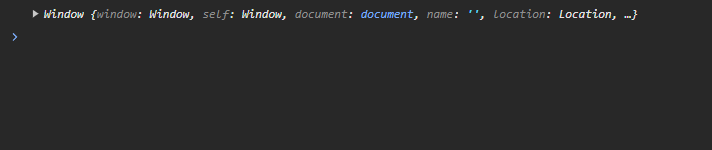
Now, what is window object?🤔
The window object represents that browser window which contains the document. This object provides properties and methods, by using them you can interact with the browser environment.
this in Regular Functions
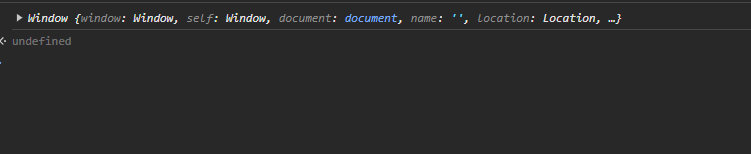
When used in regular functions, this refers to the global object (window object in a browser environment).
function myFunction() {
console.log(this);
}
myFunction();Output:
this in Regular Functions (strict mode)
When you use this in functions, in strict mode, then this refers to undefined.
"use strict";
function myFunction() {
console.log(this);
}
myFunction();Output:

this in Arrow Functions
Arrow functions don’t have their own this context. Instead, they inherit it from their parent scope (which is called “lexical scoping”).
For example:
const myfunc = () => {
console.log(this);
};
myfunc();Output:
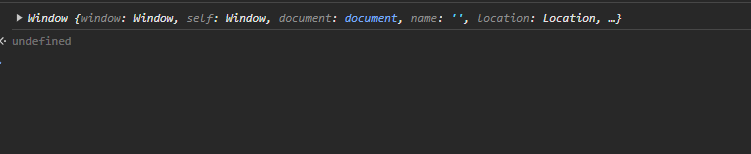
Here, myfunc is an arrow function. Since arrow functions inherit this from their parent scope, so in this case, it will be the global object (in a browser environment, window object).
this in Event Handlers
When you use this in event handlers, then this refers to the DOM element that triggered the event.
For example:
<button>Click me</button>JavaScript:
const myBtn = document.querySelector("button");
myBtn.addEventListener("click", function () {
console.log(this);
});Output:
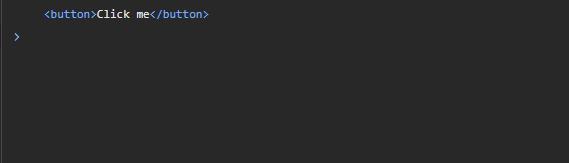
Here, when you click on the button, the event handler will execute and console.log(this) will output the element (<button> element) to the console because an event listener is attached to the <button> element.
Let’s take another example.
<div>This is a div.</div>JavaScript:
const myDiv = document.querySelector("div");
myDiv.addEventListener("mouseover", function () {
console.log(this);
});Output:
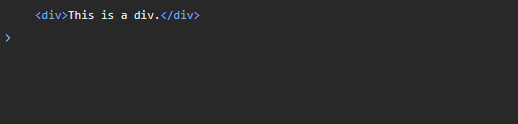
Here, when your cursor will be over the div, the event handler will execute and console.log(this) will output the element (<div> element) to the console because an event listener is attached to the <div> element.
this in Methods of an Object
When a function is a method of an object, then this refers to that object on which the method is called on.
Example using regular function:
const myObj = {
name: "Shefali",
myMethod: function () {
console.log(this.name);
},
};
myObj.myMethod(); // Output: ShefaliHere,
myObjis an object with a propertynameset to the string “Shefali” and with a methodmyMethoddefined using a regular function.- Inside the
myMethodfunction,thisrefers to the object on which the method is called. In this case, it refers tomyObj. - So, the output of
this.namewill beShefali, asmyObjhas a propertynamewith the valueShefali.
Example using arrow function:
const myObj = {
name: "Shefali",
myMethod: () => {
console.log(this.name);
},
};
myObj.myMethod(); // Output: undefinedHere,
myObjis an object with a propertynameset to the string “Shefali” and with a methodmyMethoddefined using an arrow function.- Now, you are trying to log
this.nameusing arrow function. - Since arrow functions inherit
thisfrom their parent scope, so in this case, it will be the global scope (becausemyObjis defined in the global scope). - The output of
this.namewill beundefined, asthis.namein the arrow function does not refer to thenameproperty ofmyObjbut rather to the global scope and the global scope usually does not have anameproperty.
this in Constructors of an Object
Constructor functions are used to create objects. this keyword inside a constructor refers to that object which is created by that constructor.
For example:
function Person(name) {
this.name = name;
}
const myPerson = new Person("Shefali");
console.log(myPerson.name); // Output: ShefaliHere,
- Here, the
Personfunction is a constructor function. - In the constructor function,
thisrefers to that object which is created by that constructor. In this case, when you create a new objectmyPersonusingnew Person("Shefali"),thisinside the constructor refers to the newly createdmyPersonobject. - When you pass the
nameparameter during object creation, this is assigned to thenameproperty of themyPersonobject usingthis.name = name. - When you access
myPerson.name, it retrieves the value of thenameproperty from themyPersonobject and logsShefalito the console.
this in Object Prototypes
When you use this in object prototypes, it behaves similarly to constructors. The this keyword inside a prototype refers to that object which is created by that prototype.
function Person(name) {
this.name = name;
}
Person.prototype.greet = function () {
console.log(`Hello, ${this.name}!`);
};
const myPerson = new Person("Shefali");
myPerson.greet(); // Output: Hello, Shefali!Here,
- You have a function called
Personand you are adding a method calledgreetto thePersonprototype. - Using the
Personfunction, you create a object calledmyPersonwith the nameShefali. - Now you call the
greetmethod on themyPersonobject. - Inside the
greetmethod,this.namerefers to thenameof themyPersonobject which isShefali. - So the output will be
Hello, Shefali!.
this in Class Methods
In JavaScript, the class keyword is used to define a constructor and methods for objects. When you define a method inside a class, then this keyword refers to the instance of the class on which the method is called.
For example:
class Person {
constructor(name) {
this.name = name;
}
greet() {
console.log(`Hello, I'm ${this.name}!`);
}
}
const myPerson = new Person("Shefali");
myPerson.greet(); // Output: Hello, I'm Shefali!Here,
- You create a new instance
myPersonusingPersonclass. myPerson.greet()calls thegreetmethod on themyPersoninstance.- Here,
thisrefers to the instance and properties of the classPerson. - So the output is
Hello, I'm Shefali!.
this in Call, Apply, or Bind Methods
JavaScript provides methods like call, apply, and bind to explicitly set the value of this keyword in a function.
call() Method
The call() method is used to invoke a function with a specified value of this and arguments provided individually.
For example:
function greet() {
console.log(`Hello, ${this.name}!`);
}
const person = {
name: "Shefali",
};
greet.call(person); // Output: Hello, Shefali!Here,
- You have a function named
greetand it logs a greeting message to the console using thenameproperty of an object. - You have an object named
personwith a propertynameset toShefali. - Now, the
callmethod is used to invoke thegreetfunction. - Here, you pass the
personobject as an argument tocall. Which means, within thegreetfunction,thiskeyword will now refer to thepersonobject. - So it uses
this.nameto access thenameproperty of thepersonobject and gives the outputHello, Shefali!.
apply() Method
The apply() method is similar to call() method. The difference is that it takes arguments as an array.
For example:
function greet(greeting, message) {
console.log(`${greeting}, ${message} ${this.name}!`);
}
const person = {
name: "Shefali",
};
greet.apply(person, ["Hello", "Welcome"]); // Output: Hello, Welcome Shefali!Here,
- You have a
greetfunction, which takes two parameters,greetingandmessage. - You have an object named
personwith a propertynameset toShefali. - Now, the
applymethod is used to invoke thegreetfunction. - Here, you pass the
personobject as an argument toapply. Which means, within thegreetfunction,thiskeyword will now refer to thepersonobject and the array['Hello', 'Welcome']provides values for thegreetingandmessageparameters. - So the function prints the
greeting,message, and thenamefrom thepersonobject to the console asHello, Welcome Shefali!.
bind() Method
The bind() method is used to create a new function with a specified value of this and initial arguments.
It doesn’t immediately invoke the function but returns a new function which you can call later.
For example:
function greet(greeting) {
console.log(`${greeting}, ${this.name}!`);
}
const person = {
name: "Shefali",
};
const greetPerson = greet.bind(person, "Good morning");
greetPerson(); // Output: Good morning, Shefali!Here,
- You have a
greetfunction, which takes a parameter,greeting. - You have an object named
personwith a propertynameset toShefali. - The
bindmethod is used to create a new functiongreetPersonby associating thethisvalue with thepersonobject and providing a default value for thegreetingparameter asGood morning. - When you call
greetPerson(), it uses thegreetfunction, with value ofthisset to thepersonobject and gives the output asGood morning, Shefali!.
👉 Next tutorial: Shallow vs Deep Copy